
An Eisenhower matrix sorts your tasks into four boxes by two questions: is it urgent, and is it important? Urgent and important: do it now. Important only: schedule it. Urgent only: delegate it. Neither: drop it. This free template goes a step further. Give each task two scores from 1 to 5 and the Excel workbook puts it in the right box, ranks it, tells you who should do it and checks whether the hours you keep fit your week. There is a Word version, a printable PDF and a worked example of an IT manager’s week.
Free, no sign-up, no macros. Works in Excel 2016 or later, LibreOffice and Google Sheets.
Key takeaways
- Urgency is a clock: when does waiting start to cost something? Importance is a consequence: what would it cost if this never happened? Score them separately.
- Score urgency against the calendar, not against the tone of the email. Urgent things feel more important than they are.
- The box tells you when. A separate question, “does this need me?”, tells you who. Even a Quadrant 1 task can be handed off.
- Live incidents do not belong on the matrix. They run on the incident process.
- If Quadrant 1 is full every week, that is a workload problem to raise, not a personal failing to fix with a better list.
- An AI assistant can give a first score if you name the method and state the scales. Review every score, and keep confidential details out of public AI tools.
What is an Eisenhower matrix?
It is a two-by-two grid with urgency across the top and importance down the side. Every task lands in one of four boxes, and each box comes with an instruction. It goes by several names: the Eisenhower box, the Eisenhower decision matrix, the urgent-important matrix and the time management matrix all mean the same thing.
| Urgent | Not urgent | |
|---|---|---|
| Important | Q1 Do now. Crises and hard deadlines that matter. | Q2 Schedule. Planning, prevention, people. The work that stops tomorrow’s fires. |
| Not important | Q3 Delegate. Someone needs it soon, but it does not need you. | Q4 Drop. Nothing is lost if it never happens. |
The name comes from a speech. Addressing the World Council of Churches in Evanston, Illinois, on 19 August 1954, President Eisenhower quoted “a former college president”: “I have two kinds of problems, the urgent and the important. The urgent are not important, and the important are never urgent.” (the speech text). So the insight was borrowed, and there was no grid. The four boxes came later, and were made popular by Stephen Covey’s 1989 book The 7 Habits of Highly Effective People, which put most of its weight on the second box: important work that nobody is chasing you for.
Urgent or important? Score them, don’t guess
Most people sort a task by feel, and feel is exactly where the matrix goes wrong. Researchers studying how people choose between tasks have found that we pick the time-limited, less important task over the more important one even when the urgent one has time to spare, that people who think of themselves as busy do it more, and that the pull weakens when the payoff of each task is in front of us at the moment we choose. Urgency is persuasive. So the template asks two questions that each have a factual answer.
Importance is a consequence. Ask what it would cost if this never happened at all. Not this week: ever. A failed backup that is never fixed means lost data; a vendor webinar that is never watched means nothing.
Urgency is a clock. Ask when waiting starts to cost something. A new starter arriving on Monday without a laptop is a cost on Monday. A budget due in three weeks costs nothing this week. Score it against the calendar, not against how loudly it was asked for.
| Importance | The test: what would it cost if this never happened? | IT examples |
|---|---|---|
| 5 Critical | If this never happened, the business would be hurt: lost data, a breach, a failed audit, a key system gone. | Backups failing; Cyber Essentials renewal evidence |
| 4 Major | Never doing it would hurt a team, a client commitment or next year's plans. | Approving changes for the maintenance window; the IT budget |
| 3 Useful | Worth doing; skipping it costs something real but recoverable. | Building a new starter's laptop; monthly patching |
| 2 Minor | Someone would notice, but little would change. | The weekly IT report; one person's VPN niggle |
| 1 None | Nobody would miss it. | A vendor webinar; 'for information' emails |
| Urgency | The test: when does waiting start to cost something? |
|---|---|
| 5 Today | Waiting until tomorrow costs something: a person cannot work, a deadline passes. |
| 4 This week | It must be finished by Friday or a date is missed. |
| 3 This fortnight | A real date exists, but not this week. |
| 2 This month or quarter | There is a date, but it is weeks away. |
| 1 No date | Nothing gets worse by waiting. |
The template’s defaults count a task as important at 3 or more and urgent at 4 or more, so “urgent” means it must happen this week. If your week runs differently, change the two thresholds on the Settings tab and every box re-sorts.
Two more steps make the matrix work in an IT role. Before scoring, apply a gate: is this a live incident, something broken right now? If so it does not go on your matrix at all (more on that below). After scoring, ask one question: does this need me? Mark it yes only if you alone can decide, approve or do it. The box tells you when; this question tells you who. Keeping them apart is the template’s main departure from the classic grid, and it fixes two of its oldest problems: urgent and important work that someone else could do perfectly well, and the third box for people with nobody to delegate to.
The four quadrants and what to do in each
Q1 Do now: urgent and important
Do it first, today. If it needs you, block the time and do it. If it does not, hand it off this morning with a clear finish time and check it before you go home. In IT this box fills with things like failed backups, change approvals before a maintenance window and contracts about to lapse. When the same kinds of task keep arriving here, ask whether they were Quadrant 2 work that waited too long: a crisis nobody could foresee is different from a deadline everyone could see coming.
Q2 Schedule: important, not urgent
This is the box that decides whether next month is calmer than this one: the budget, the test restore, the policy the partners asked for, one-to-ones, the office move plan. Nothing in it shouts, so it loses to everything that does. The cure is a date and a time in the diary, ideally a half-day block, because a single meeting can break up a morning of deep work. The template flags every Quadrant 2 task of yours that has no time booked.
Q3 Delegate: urgent, not important
Someone needs it soon, but the business would lose little if it were done by somebody else, or later, or not by you. In the worked example below, three tasks landed here: a partner’s printer and a VPN problem that reached the IT manager directly, around the service desk, and the weekly report. The person asking feels the deadline; that tells you nothing about what the business would lose. If there is nobody to hand it to, shrink it: batch similar requests into one slot, write a template reply or a how-to, automate the repeat, or say no.
Q4 Drop: neither
Drop it, and tell whoever asked so they are not left waiting. Sales calls, roadmap webinars, “for information” emails and the jobs you invent to avoid harder ones live here. If a task will matter later, such as tidying the cabinet before an office move, park it with a date rather than carry it every week.
How to use the template in five steps
- List everything on Monday morning on the My week tab: tickets that have reached you, emails that need an answer, meetings that need preparation, the jobs you have been putting off.
- Apply the gate. Mark live incidents Y in the incident column. They are recorded but not sorted.
- Score importance and urgency from 1 to 5 using the scales above, and estimate the hours.
- Answer “needs me?” and, for anything you can hand off, put a name in Hand to. Then open the Matrix tab: every task is in its box, highest importance first, with its next step and a capacity check.
- Book time for every Quadrant 2 task that needs you, then review on Friday. Fill in the hours you actually spent and compare plan with reality. Add anything that ate your week but was never on the list; that is often the most useful row.
Worked example: an IT manager’s week
Priya runs IT for an 80-person professional services firm across two offices. She has a team of three, an infrastructure engineer and two service desk analysts, and a managed service provider (MSP, an outside firm that runs some of the infrastructure under contract). Here is her Monday morning list, scored. The firm, the people and every figure are invented.
| # | Task (Monday morning list) | Imp. | Urg. | Needs her? | Hours | Box and next step | Who does it |
|---|---|---|---|---|---|---|---|
| 1 | Backups have failed three nights running on the file server | 5 | 5 | No | 1.5 | Q1 Do now Hand off today, check by close | Infrastructure engineer |
| 2 | Approve three change requests for Thursday's maintenance window | 4 | 4 | Yes | 1 | Q1 Do now Do now | Priya |
| 3 | Firewall support renewal quote expires on Friday | 4 | 4 | Yes | 1 | Q1 Do now Do now | Priya |
| 4 | New starter on Monday: laptop build and accounts | 3 | 5 | No | 3 | Q1 Do now Hand off today, check by close | Service desk analyst |
| 5 | Monthly patch deployment (a pre-approved standard change) | 3 | 4 | No | 2 | Q1 Do now Hand off today, check by close | Infrastructure engineer |
| 6 | Draft next year's IT budget for the finance director (due in three weeks) | 5 | 2 | Yes | 6 | Q2 Schedule Book time in the diary | Priya |
| 7 | Quarterly test restore of the case management database | 5 | 2 | No | 2 | Q2 Schedule Schedule it, hand off the doing | Infrastructure engineer |
| 8 | Post-incident review of last Tuesday's email outage | 4 | 3 | Yes | 2 | Q2 Schedule Book time in the diary | Priya |
| 9 | 1:1s with the three people in the team | 4 | 2 | Yes | 1.5 | Q2 Schedule Book time in the diary | Priya |
| 10 | Monthly service review call with the managed service provider | 3 | 3 | Yes | 1 | Q2 Schedule Book time in the diary | Priya |
| 11 | Answer the partners: rules for using AI tools with client data | 4 | 2 | Yes | 3 | Q2 Schedule Book time in the diary | Priya |
| 12 | Gather evidence for the Cyber Essentials renewal (due in five weeks) | 5 | 2 | No | 3 | Q2 Schedule Schedule it, hand off the doing | Service desk analyst |
| 13 | IT plan for the second office move (lease ends in eight months) | 4 | 1 | Yes | 2 | Q2 Schedule Book time in the diary | Priya |
| 14 | Weekly IT report for the operations director | 2 | 4 | No | 1.5 | Q3 Delegate Delegate | Service desk analyst |
| 15 | Partner's printer is out of toner (escalated by email) | 1 | 5 | No | 0.25 | Q3 Delegate Delegate | Service desk analyst |
| 16 | Finance director's VPN problem before Thursday's board pack | 2 | 5 | No | 0.5 | Q3 Delegate Delegate | Service desk analyst |
| 17 | Supplier sales call asking for a security product demo | 1 | 2 | Yes | 1 | Q4 Drop Drop it and tell whoever asked | Priya |
| 18 | Vendor product-roadmap webinar invitation | 1 | 3 | No | 1 | Q4 Drop Drop it and tell whoever asked | — |
| 19 | Forty 'for information' emails copied to IT this week | 1 | 3 | No | 1.5 | Q4 Drop Drop it and tell whoever asked | — |
| 20 | Re-label the patch panel in the comms cabinet | 2 | 1 | No | 2 | Q4 Drop Drop it and tell whoever asked | — |
| 21 | Case management system down at the second office (Wednesday) | 5 | 5 | Yes | unplanned | Incident process Run the incident process | Priya |
The box says when. “Does this need me?” says who. Keep the two questions apart and even an urgent, important task can leave your desk.
What the matrix told her. The list adds up to 36.75 hours of work. She has 37.5 contracted hours and holds 8 back for incidents and interruptions, leaving 29.5. Doing it all herself was never possible. Sorted, the picture changes: she keeps 17.5 hours, hands off 13.75 and drops 5.5. The plan fits with 12 hours to spare.
Quadrant 1: two hours of hers, five tasks. Only two of the five need her: the change approvals for Thursday’s maintenance window (she chairs the change board that signs off risky changes to live systems) and the firewall support renewal, because the spending decision is hers. The failed backups are the most important item on the list, but the engineer is better placed to fix them; she hands them off at nine and checks the result at four. The new starter’s laptop goes to an analyst with the existing checklist. Monthly patching is a standard change: pre-authorised, low-risk and common, so it does not go to the change board at all.
Quadrant 2: the real work of the week. Eight tasks, 15.5 of her hours: the budget in two three-hour blocks, the post-incident review of last week’s email outage, one-to-ones, the AI-use question from the partners, the MSP service review and the office move plan. The quarterly test restore and the Cyber Essentials evidence (Cyber Essentials is the government-recommended minimum standard of cyber security, with its own certification scheme) need doing properly but not by her, so the engineer and an analyst do them and she reads the results.
Quadrant 3: handed straight on. The weekly report, a partner’s toner and the finance director’s VPN problem (the secure connection for working away from the office) all go to the service desk. That last one is the instructive case. The finance director is senior and the board pack is due, so it arrived feeling like Quadrant 1. On the scales it is importance 2: one person, one workaround. Seniority made it loud, not important.
Quadrant 4: dropped, politely. The security vendor gets a short no. The webinar is declined. A mail rule files the “for information” emails. The patch panel labels wait for the office move, when the cabinet will be rewired anyway.
Then Wednesday happened. The case management system went down at the second office. That went straight to the incident process, not the matrix, and took four hours of her week: exactly what the held-back hours were for. On Friday she filled in her actual hours:
| Box | Tasks | Planned hours (anyone) | Hours she planned to keep | Hours she actually spent |
|---|---|---|---|---|
| Q1 Do now | 5 | 8.5 | 2 | 2 |
| Q2 Schedule | 8 | 20.5 | 15.5 | 7.75 |
| Q3 Delegate | 3 | 2.25 | 0 | 0 |
| Q4 Drop | 4 | 5.5 | 0 | 0.5 |
| Incident process | 1 | 0 | 0 | 4 |
| Total | 21 | 36.75 | 17.5 | 14.25 |
Quadrant 1 went to plan. Quadrant 2 delivered 7.75 of the 15.5 hours she meant to keep. The incident came out of the reserve, as intended; the rest went on meetings and walk-up requests that were never on Monday’s list. Two things slipped: the post-incident review and the office move plan. The office move was the one Quadrant 2 task she had never booked, which is why the template flags unbooked work. Next week she starts with both, books them first, and adds the walk-ups to the list so the plan can see them.
What the Excel template does
The workbook has six tabs: How to use; My week, a 40-row task list; Matrix, the sorted grid with hours and the capacity check; Settings, with the thresholds, your hours and the two scoring scales; and Example week and Example matrix, Priya’s week with the same live formulas.
- Sorting. A formula turns the two scores into a box and a next step. A hidden sort key (importance × 10 + urgency) ranks the tasks inside each box, so the most important Quadrant 2 task is always first.
- No new functions needed. The grid is built from LARGE, MATCH and INDEX rather than FILTER, which Microsoft lists only for Microsoft 365 and Excel 2021 or later. That is why it works in Excel 2016, LibreOffice and Google Sheets. No macros.
- Capacity check. Contracted hours, minus the hours you hold back, against the hours you keep. It says “fits” or “over capacity”, and warns when Quadrant 1 takes more than a share of your week that you set yourself.
- Friday review. Planned and actual hours by box, side by side.
- Dropdowns and colour. Scores accept 1 to 5 only; the boxes are colour-coded; an unbooked Quadrant 2 task turns amber.
The Word and PDF versions are for pen and paper: a blank matrix, a scoring sheet with the scales, Priya’s worked example and a Friday review page with five questions.
Where the matrix stops working
The matrix is a good sorting tool with real limits, and in an IT role they show up quickly.
- Incidents are not tasks. When something is broken, priority comes from impact and urgency on the incident process, roles are agreed in advance and the service desk runs it. A service desk tool can do the arithmetic: in ServiceNow, for example, the priority field is set from the impact and urgency values. The NCSC’s incident management guidance starts from the same place: incidents will happen, so prepare the plan and the people beforehand. Your matrix holds the follow-up work, not the firefighting. For the paperwork once it is fixed, use our IT incident report template, with its own severity matrix and post-incident review.
- Someone else’s urgency is not the business’s importance. Score importance against what the organisation would lose, not against who asked. Agreed response targets, published to the business, take the argument out of it, and a service catalogue is a natural home for them.
- It sorts, it doesn’t rank. Eight tasks in Quadrant 2 are still eight tasks. The template’s sort key helps; for competing projects, use a proper ranking method (see below).
- It ignores size. A five-minute approval and a six-hour budget can share a box. That is why the template asks for hours.
- “Delegate” assumes a team. A one-person IT department cannot delegate the third box. Shrink it instead, and use the “needs me?” question on everything else.
- A permanently full Quadrant 1 is not a list problem. If the fires never stop, the cause is usually staffing, systems or missed prevention, and no amount of sorting fixes it. Workload is something to manage, not just endure: the HSE names job demands as one of six areas that can lead to work-related stress if they are not managed. Take the Friday numbers to whoever sets the team’s work.
- It is better at looking back than planning ahead. The most honest use of the grid is to sort last week’s calendar and see where the hours really went. That is what the Friday review does.
Using it with RACI, ICE, RICE and MoSCoW
The matrix answers “what should I do next, and should it be me?”. Other tools on this site answer neighbouring questions.
- RACI matrix: when the matrix says delegate, RACI records who is responsible and who signs it off.
- ICE, RICE and the project prioritisation scorecard: for ranking projects against each other when they all look like Quadrant 2.
- MoSCoW: for deciding what goes in a project and what waits.
- The 80/20 rule: a quick test of which Quadrant 2 work earns most.
- Change request form and action log: where the changes and hand-offs from your matrix get recorded.
For the wider habits around the matrix, such as time blocking and handling interruptions, see our guide to time management skills.
Books worth reading on urgent and important
The template is a tool; these four books are the thinking behind it, and two of them argue with it. Each one is worth reading for a different box. Every link goes to Amazon UK and is an affiliate link: as an Amazon Associate, IT Management 101 earns from qualifying purchases, at no extra cost to you.
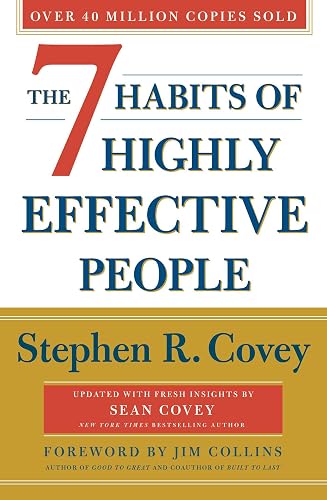
The 7 Habits of Highly Effective People (30th anniversary edition)
Stephen R. Covey, with Sean Covey
Habit 3 is where the four quadrants found their audience. Read it for the case for Quadrant 2, the important work nobody chases you for.

David Allen
The useful counterweight. Allen distrusts fixed priority codes and picks the next action by context, time and energy before priority. Read it for the capture habit that gives a matrix a complete list to score.

Greg McKeown
A book about the Drop box: choosing the few things that matter, building in a buffer, and saying no without damaging the relationship.

Oliver Burkeman
For when Quadrant 1 never empties. You will never get through everything, so decide what to neglect on purpose rather than by default.
Disclosure: as an Amazon Associate, IT Management 101 earns from qualifying purchases. If you buy through these links we may receive a small commission, at no extra cost to you. Availability and links were checked on 14 November 2026 and can change. The 7 Habits of Highly Effective People® is a registered trademark of Franklin Covey Co. Getting Things Done® and GTD® are registered trademarks of the David Allen Company. Neither company is connected with this page.
Do you need an app?
Usually not at first. The matrix is a thinking tool, and the thinking is the same on paper as in software.
- Paper or the PDF is enough for one person with a short list. Print a fresh page each Monday.
- The spreadsheet earns its keep when you want hours, a capacity check, a record of past weeks or a Friday review. It costs nothing and you already have the software.
- A task manager or planner app makes sense when tasks need reminders, sit across devices or are shared with the team. If yours lets you add two fields or labels, it can hold the same two scores.
- A team or service desk tool is the step up when the work is mostly requests from other people. At that point the requests belong in the queue, with priorities set from impact and urgency, and your matrix shrinks to your own work.
Using an AI assistant to give a first score
The Eisenhower matrix is a widely published prioritisation method, and that makes it a good job for a general-purpose AI assistant such as Claude, ChatGPT, Gemini or Grok. You can usually name the method rather than explain it: the name brings the four boxes and their instructions with it. What the name does not bring is anything particular to this template, namely the 1 to 5 scales, the thresholds and the “does this need me?” question. So the rule for the prompt is simple. Name the part everyone knows; spell out the part that is yours.
That keeps the prompt short, which matters more than it sounds. These tools read text in tokens, small chunks of a word or so, and that is the unit their usage is measured in, so a prompt that names a method instead of describing it uses fewer of them every time it runs, which counts if you pay by usage or work within a plan’s limits. A short prompt is also one you will actually save and reuse each Monday.
- Copy Monday’s list, one task per line. Take out names and anything confidential first (more on that below).
- Paste it under the prompt below and ask for a first score.
- Copy the scores into the My week tab, with your tasks already in column B in the same order. Select the four middle columns of the reply (importance, urgency, live incident and needs me) and paste them into columns D to G, starting at D5. Leave the task and reason columns out: column C holds the task type.
- Review every row. Change any score you disagree with; the Matrix tab re-sorts as you type.
Apply the Eisenhower matrix to the tasks below and give each one a first score.
Importance, 1 to 5: what would it cost if this never happened? 5 = the business is hurt (lost data, a breach, a failed audit). 4 = a team or a commitment is hurt. 3 = a real but recoverable cost. 2 = someone would notice. 1 = nobody would miss it.
Urgency, 1 to 5: when does waiting start to cost? 5 = today. 4 = this week. 3 = this fortnight. 2 = this month or quarter. 1 = no date. Score against dates, not the tone of the request.
Live incident (Y/N): is something broken right now? Needs me (Y/N): Y only if I alone must decide, approve or do it. [one line on your team, for example: I run IT with an engineer and two service desk analysts]
Return a table in my order with the columns task, importance, urgency, live incident, needs me and a one-line reason. Use numbers for the scores and Y or N for the two questions. Do not add, merge or reword tasks.
[paste your tasks here, one per line]
Most of that prompt is the scales, and they are the part to keep. Without them the assistant uses its own idea of urgent, which may not be yours, and its scores will not line up with the template’s thresholds (important from 3, urgent from 4). The one-line reason earns its place too: read the reasons, not just the numbers. Where a reason is wrong, you have found something you know that the list does not say.
What it cannot do for you.
- It does not know your week. The assistant sees a line of text, not the board pack due on Thursday, the engineer on leave or the partner who will escalate if the printer is not fixed by lunch. Treat every score as a draft for you to overrule. The rows where you disagree are the valuable ones.
- Keep confidential and personal data out. The NCSC recommends not including sensitive information in queries to public AI tools, because the company running the tool can see what you send. Write “senior user’s VPN fault”, not a name; leave out client names, security weaknesses and anything about a colleague’s health or performance. If your organisation has an approved AI tool or an AI-use policy, use that. In Priya’s week, settling that policy was a Quadrant 2 task of its own.
- Results vary. Different assistants, and the same assistant asked twice, can score the same list differently. Stating the scales narrows the spread; your review settles it.
- Incidents do not wait for a chat window. If something is broken, run the incident process first. The Y in that column is a record, not a triage step.
Download the free Eisenhower matrix template
Free Eisenhower matrix template: Excel, Word and PDF
The Excel file has six tabs: how to use it, My week, Matrix, Settings, and Priya’s example week and matrix with the same live formulas. The Word and PDF versions have a blank matrix, a scoring sheet, the worked example and a Friday review on four landscape A4 pages. No email address, no account, no macros.
Licensed under Creative Commons Attribution-NonCommercial 4.0 (CC BY-NC 4.0): use and adapt it freely in your own work, team or training. If you share it, please link to this page.
This page sits in our business principles and advice collection.
Frequently asked questions
What is an Eisenhower matrix template?
It is a ready-made two-by-two grid for sorting a to-do list by urgency and importance into four boxes: do now, schedule, delegate and drop. Ours comes as an Excel workbook that does the sorting for you from two 1 to 5 scores, plus a Word version and a printable PDF.
How do I make an Eisenhower matrix in Excel?
Keep one list of tasks with two score columns, importance and urgency. Add a formula that turns the scores into a box, a sort key for each box, and a grid that uses LARGE, MATCH and INDEX to pull the tasks into place. That is how our free template works, so you can download it rather than build it.
Does the template work in Google Sheets and older versions of Excel?
Yes. It uses only long-standing functions (IF, AND, OR, LEFT, COUNTIF, COUNTIFS, SUMIF, LARGE, MATCH, INDEX and a few text helpers), so it works in Excel 2016 and later, LibreOffice Calc and Google Sheets. It does not use FILTER, which older desktop Excel lacks, and it has no macros.
Did Eisenhower invent the Eisenhower matrix?
Not as a grid. In a speech in Evanston, Illinois, on 19 August 1954, he quoted a former college president on the difference between urgent and important problems. The four-box grid came later and was popularised by Stephen Covey’s 1989 book The 7 Habits of Highly Effective People.
Which quadrant should I spend most time in?
Quadrant 2, important but not urgent, holds the work that prevents tomorrow’s emergencies: budgets, test restores, policies, one-to-ones. In an IT role you also need hours held back for incidents, so the template asks how many hours to keep in reserve before it tells you whether your plan fits.
What if I have no one to delegate to?
Then delegation is the wrong word for the third box. Shrink the work instead: batch similar requests into one slot, write a template reply or a how-to, automate the repeat, or say no. Our template switches its advice to this whenever you mark a Quadrant 3 task as needing you.
Should IT incidents go on the matrix?
No. A live incident runs on your incident process, where priority comes from impact and urgency and the roles are agreed in advance. The matrix is for the rest of your week. Put the follow-up work, such as the post-incident review, on the matrix as normal.
How often should I update the matrix?
Score the whole list once a week, on Monday. Each day, score only what is new. On Friday, fill in the hours you actually spent and compare them with the plan; that comparison is where most of the learning comes from.
What are the drawbacks of the Eisenhower matrix?
It sorts but does not rank inside a box, it ignores how big a task is, it can mistake someone else’s urgency for importance, and it says nothing about who should do the work. Our template adds hours, a capacity check, a sort order inside each box and a separate needs-me question to cover those gaps.
How is the Eisenhower matrix different from RACI, ICE and MoSCoW?
The Eisenhower matrix sorts one person’s tasks by when and whether to do them. RACI sets out who is responsible for what on shared work. ICE, RICE and MoSCoW rank projects, features or requirements against each other. They work well together: the matrix says delegate, RACI says to whom.
Can an AI assistant such as ChatGPT or Claude score my Eisenhower matrix?
Yes, as a first draft. Name the method, state the 1 to 5 scales for importance and urgency, ask whether each task needs you and ask for a one-line reason per score. Then paste the scores into the template and review every row: the assistant does not know your deadlines, your team or your organisation’s politics. Keep confidential and personal details out of anything you paste into a public AI tool.
Why name the method in a prompt rather than explain it?
Because a widely published method like the Eisenhower matrix can usually be named rather than explained, so the prompt stays short: less to write, fewer tokens for the tool to process and an easier prompt to reuse every Monday. Spell out only what is yours, such as the scales, the thresholds and the needs-me question, so the scores match your template.
Sources and further reading
The method on this page and the worked example are our own, built from a review of the published guidance, the original speech and what IT practitioners say about prioritising their work. Links open in a new tab.
- Dwight D. Eisenhower, Address at the Second Assembly of the World Council of Churches, Evanston, Illinois, 19 August 1954 (The American Presidency Project)
- FranklinCovey: Habit 3, on the four quadrants from The 7 Habits of Highly Effective People (1989)
- Johns Hopkins University: research on the “mere urgency effect” in task choice
- University of Hull: priority matrices
- Imperial College Business School: delegating more effectively
- National Cyber Security Centre: incident management
- Health and Safety Executive: causes of work-related stress
- Microsoft Support: FILTER function (versions)
- ServiceNow documentation: change types and priority lookup rules
- NCSC: Cyber Essentials overview
- NCSC: ChatGPT and large language models: what’s the risk? (2023), on keeping sensitive information out of public AI tools
Priya, her firm and every figure in the worked example are fictional. Updated 14 November 2026.